
Our iPhone app, Zero Mission Guide, is in the App Store. Until this week, it was mainly a way for a firm's people to carry the firm's guide in their pocket. The latest version adds something anyone can use the day they install it: pick a folder of your own documents, and ask it questions.
A real question, answered on the phone from a folder of office procedures. Recorded in Apple's iPhone simulator, not sped up.
Here's what it does, how to get good answers from it, and why we built it for ourselves first.
What it does
-
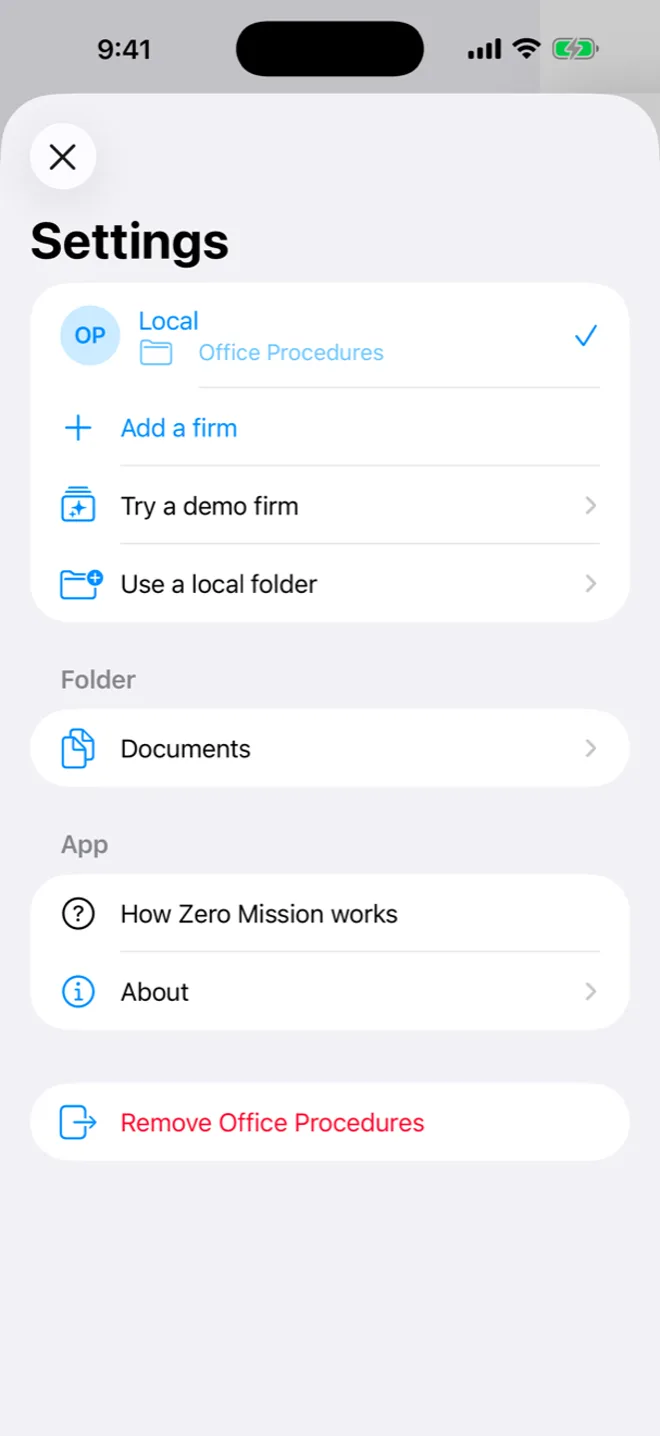
Open Settings and choose "Use a local folder." It sits beside adding a firm and trying a demo firm. No sign-in, no account.
-
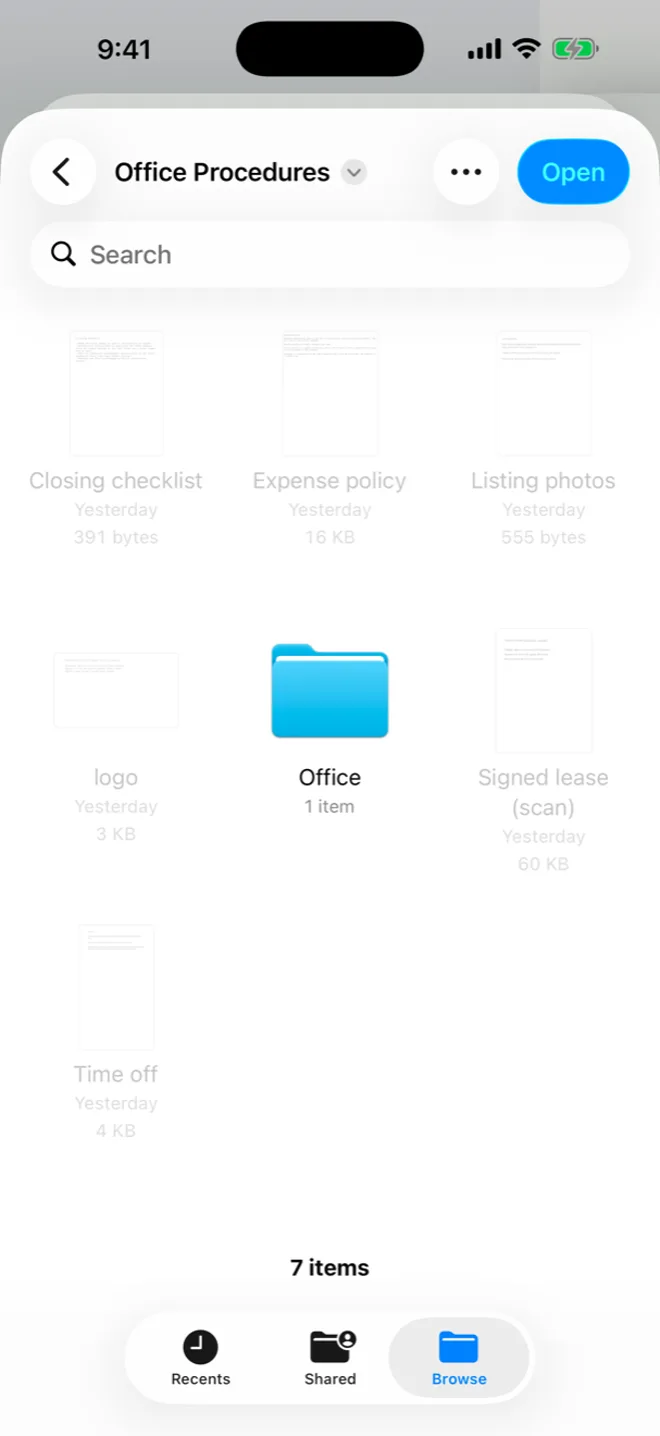
Pick one folder. Any folder the Files app can reach works, such as one you already keep in iCloud Drive. The app reads PDF, Word, plain text, Markdown and RTF files, including the ones in folders inside it.
-
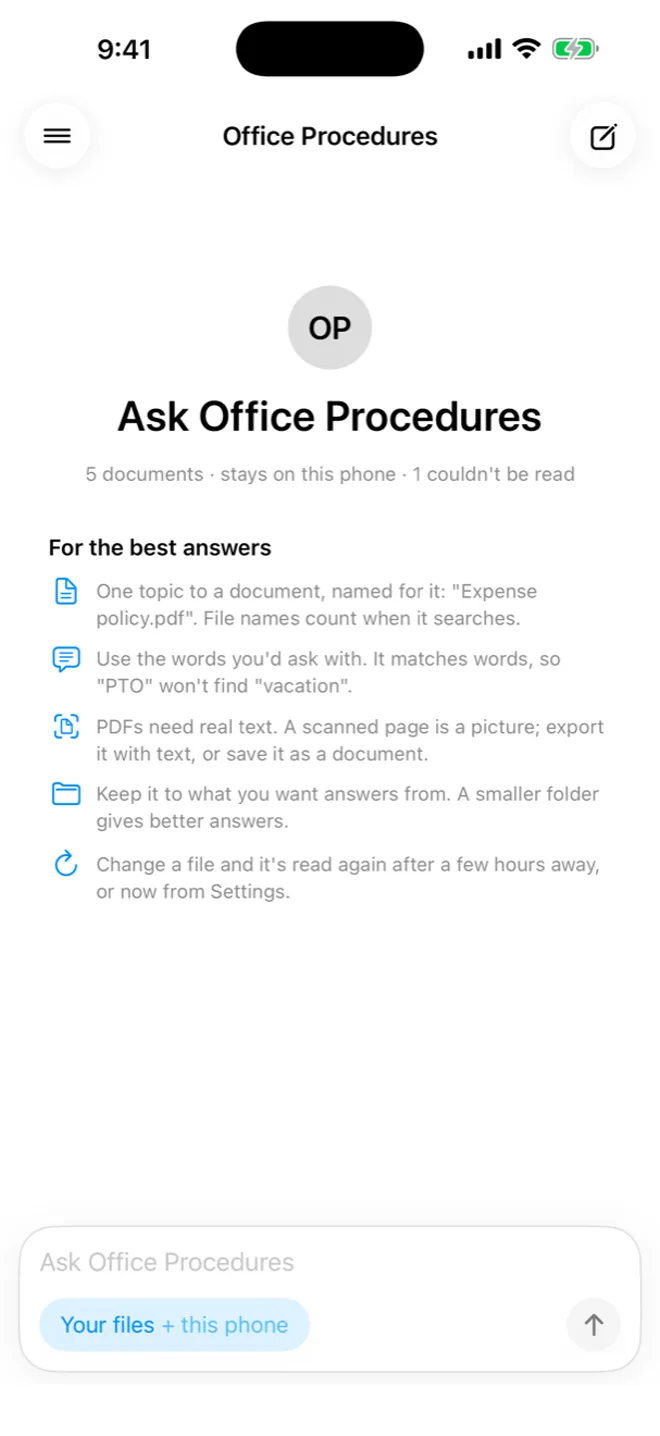
The app tells you what it read, and what it couldn't. Here, five documents read and one scanned lease that has no text in it. The tips underneath are the same ones in the next section of this article.
-
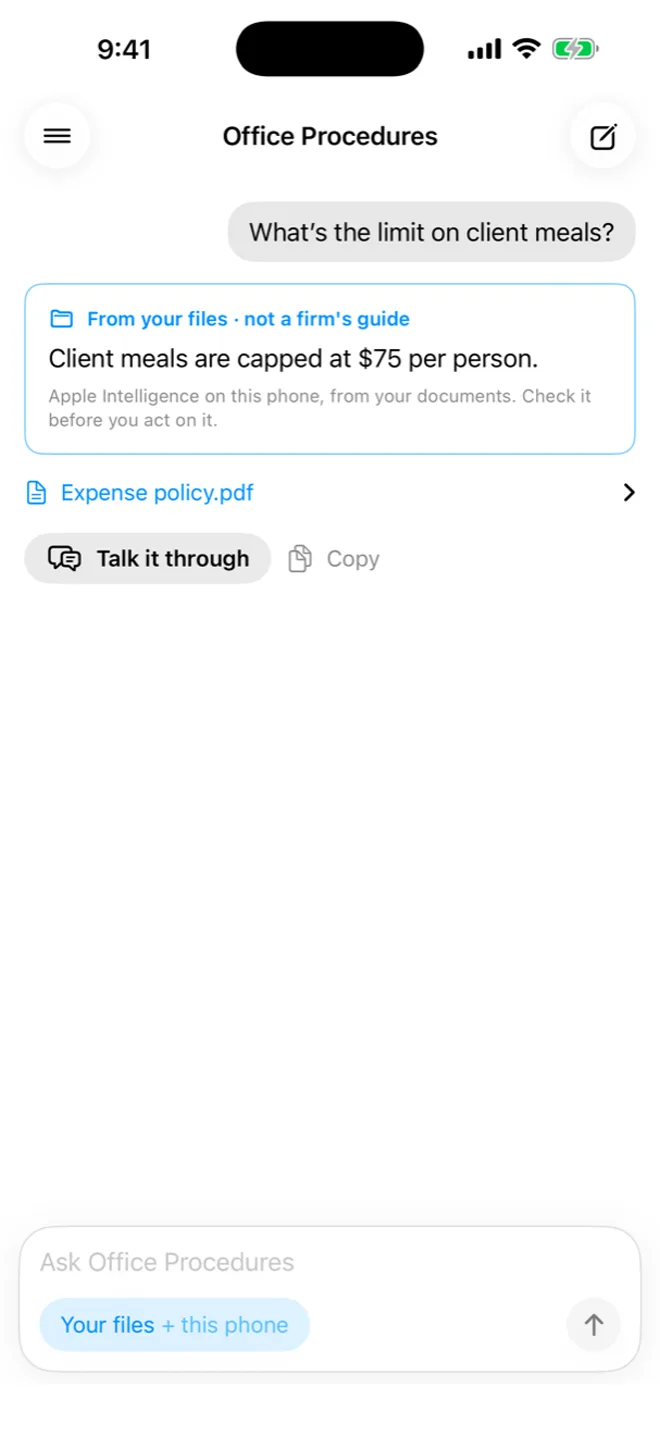
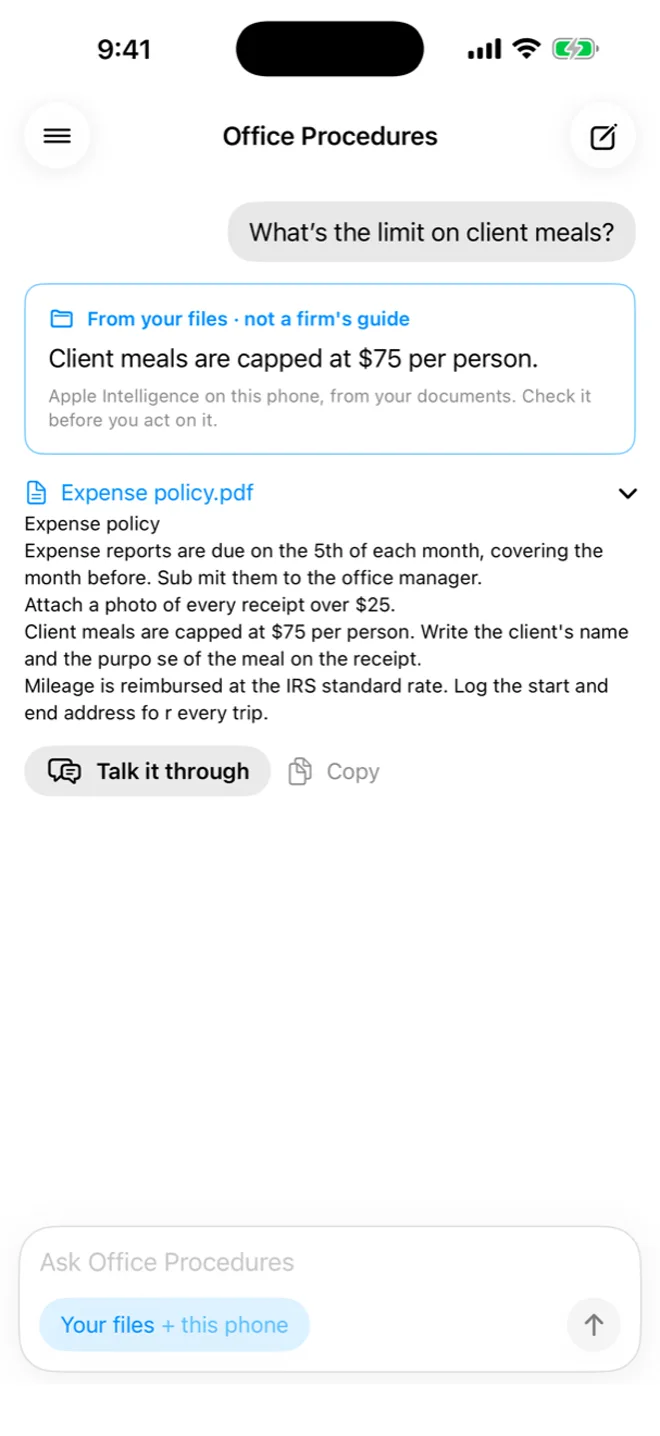
Ask the way you'd ask a colleague. Apple's AI model, built into the phone, answers from those documents only. The blue card says where the answer came from: your files, not a firm's reviewed guide.
-
Check it with your own eyes. Tap the file name and the app shows the passage it used. Here, the expense policy, with the $75 limit right there in the text.
-
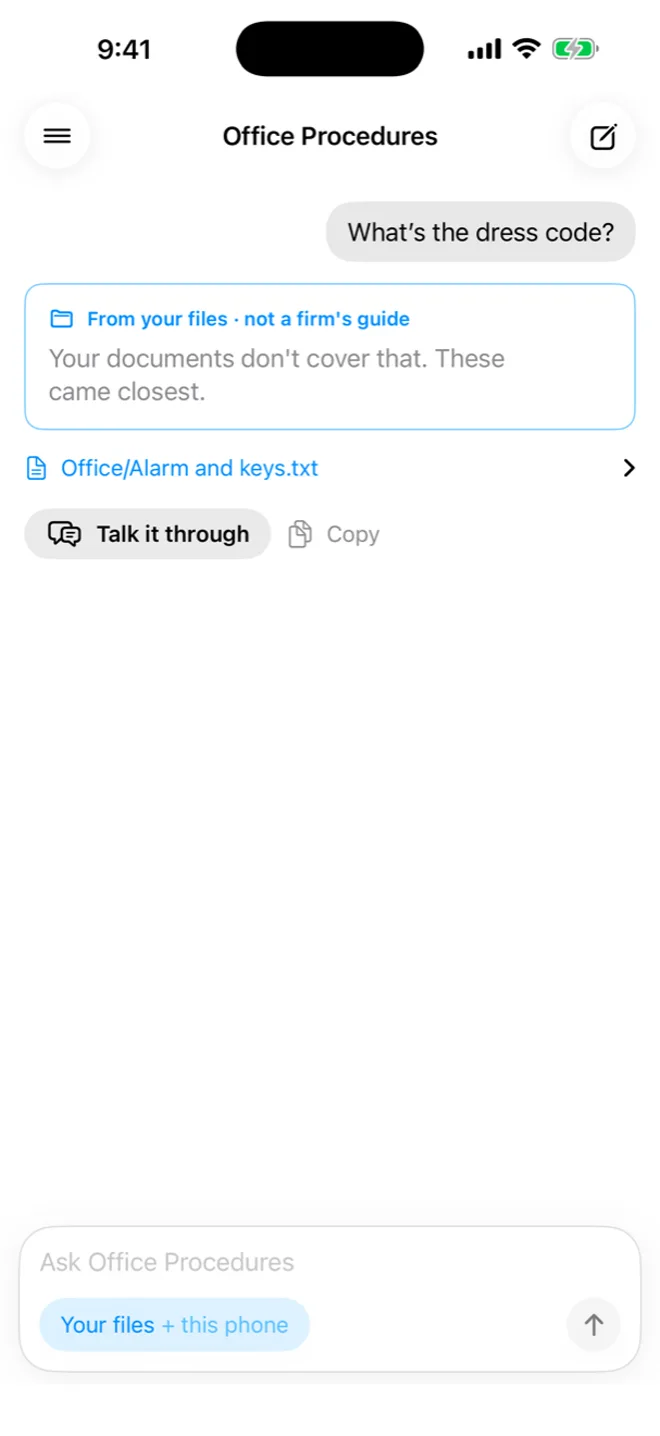
If the documents don't cover it, it says so. "What's the dress code?" matched a word in the alarm instructions, and the app says those came closest rather than inventing a dress code.
A few things are true because of how it's built:
- Nothing leaves your phone. The documents and your questions stay on the device. We never see them.
- No account. You don't sign in to anything to use it.
- It's free.
- It needs an iPhone with Apple Intelligence, an iPhone 15 Pro or newer, on iOS 26 or later, with Apple Intelligence switched on.
How to get good answers from a folder
The AI on a phone is small. It does well with a small, tidy folder and struggles with a big, messy one. You'd give a new hire the same advice:
- Keep one folder on purpose. Don't point it at your whole iCloud Drive. Put in the documents you actually want answers from.
- One topic per document, with a plain title. The file name counts when the app looks for an answer, so "Expense policy" beats "Scan_0042".
- When a policy changes, say so. If a new document replaces an old one, write that at the top ("This replaces the 2024 policy"), or better, remove the old one. Two documents that disagree make for an uncertain answer.
- Use the words people use. If everyone says "PTO" and the document says "vacation," a search for PTO finds nothing. Add a line with the other word.
- Scans don't count. A photo of a page has no text to read. The app tells you which files it couldn't read.
None of this is special to our app. It's the same housekeeping that makes any shared folder useful, and it's most of what makes AI answers about your work trustworthy.
Why we use it ourselves
The honest first reason is testing. A folder anyone can make lets us, and Apple's reviewers, try the app without being invited to a firm.
The bigger reason is measurement. Every answer goes through the same few steps, and each one is something we can change and score:
How an answer is made, all on the phone
- Read the folderPDF, Word, text, Markdown and RTF, turned into passages
- Find passagesRanked by the words in your question; a longer question has to match two of them
- Ask the modelApple's model sees only those passages, and says whether they cover it
- Check the answerEvery number in it has to appear in the documents or the question
- Show the sourceThe answer, the file it came from, and the passage to read
We built test folders, one easy and one harder, for made-up offices with expense rules, time off, closing checklists and a few traps. For each folder we wrote an answer key: the right answer to every question, which file it comes from, and which questions the folder can't answer. Then we run the questions and score every reply against the key.
That turns "seems to work" into a number, and the number has already taught us things:
- Old and new documents in one folder were the hardest case. When the 2026 expense policy replaced the 2024 one, the AI sometimes answered with the old meal limit. We now tell it to prefer the newer document, and the score on those questions went up.
- Small models invent numbers. Asked about a commission split the folder didn't cover, a model would sometimes produce a plausible-looking one anyway. Now every number in an answer has to appear in the documents or the question, or the app says the documents don't cover it.
- Search matters as much as the model. A question that shares one word with the wrong document ("dress code" and an alarm "code") pulled in the wrong passage. Now a longer question has to match on at least two words.
Try the search yourself. This is the easy test folder, and the same search the app runs, working in your browser:
Harbor Lane Office · 5 documents read · 1 couldn't be
Closing checklist.md
Closing checklist
- Order the title search as soon as the contract is signed.
- Confirm wire instructions by phone with the title company, using the number already in the file. Never use a phone number from an email.
- Send the commission disbursement authorization to the title company at least three days before closing.
- Schedule the final walkthrough within 24 hours before closing.Expense policy.pdf
Expense policy
Expense reports are due on the 5th of each month, covering the month before. Submit them to the office manager.
Attach a photo of every receipt over $25.
Client meals are capped at $75 per person. Write the client's name and the purpose of the meal on the receipt.
Mileage is reimbursed at the IRS standard rate. Log the start and end address for every trip.Listing photos.rtf
Listing photos
Book the photographer through the office manager at least five business days before the listing goes live.
Twilight photos cost an extra $150, paid by the agent.
Photos are delivered within 48 hours of the shoot.Office/Alarm and keys.txt
Alarm and keys
The alarm code changes on the first day of every quarter. The office manager texts the new code; never write it down near the door.
Office keys are signed out in the key log at the front desk. A lost key costs $40, taken from your next commission check.Time off.docx
Time off
Vacation: request it at least two weeks ahead in the shared calendar, and tell your team lead.
Sick days: no request needed. Text your team lead by 8:30 a.m. that day.
Office holidays: the office is closed on New Year's Day, Memorial Day, the Fourth of July, Labor Day, Thanksgiving and the day after Thanksgiving, and Christmas Day.Signed lease (scan).pdf
A scan: no text to read.
Each file is one passage here; the bar behind it is its score. Words that are too common to tell documents apart, like "what" and "the", are left out, and "reports" counts as "report".
We also run the same questions, with the same documents, through other models that are small enough to run on a phone, and through Claude Haiku as the bar to beat:
Percent of answers that matched the key. Claude Haiku runs in the cloud; the rest are small enough for a phone. All with the instructions from before the two fixes, so Apple's bar here is its 68%.
A few of the small open models did about as well as Haiku. That's how we'll decide whether a different model belongs on the phone: by the score, not by a hunch.
Every one of those lessons applies to a firm's guide too. Answers rest on how the documents are written and arranged, so we score that, fix what goes wrong, and score it again.
What it isn't
A folder of your own documents gets you useful answers. It isn't a firm's reviewed guide, and the app never labels it as one. Nobody checks that the documents are current, nobody adds the answer to the question that came up last week, and nobody notices that the new hire keeps asking about something the folder doesn't cover.
That's the work we do for firms. We organize their process into a guide, label every approved answer, watch what people ask, fix the gaps, and score the guide against questions with known answers, every month. If you try your own folder and like it, that's what it looks like when someone keeps it up for you.